Node.js already includes the primitives needed for a clean OnlyFans API integration: fetch, AbortSignal timeouts, environment variables, and async iterators. This tutorial assembles those pieces into a small server-side client for The Only API.
Use this code only on a trusted backend. An API key included in a React component, mobile bundle, public repository, or query string should be considered compromised.
Start with configuration
Set ONLY_API_CRM_ID and ONLY_API_KEY in your server environment. Create only-api.mjs:
const crmId = process.env.ONLY_API_CRM_ID;
const apiKey = process.env.ONLY_API_KEY;

if (!crmId || !apiKey) {
  throw new Error("ONLY_API_CRM_ID and ONLY_API_KEY are required");
}

const baseUrl = "https://theonlyapi.com/api/crm/" + crmId;
The normalized routes are scoped to the CRM ID and authenticated with X-API-Key. Do not append the key to baseUrl.
Build a bounded request helper
The helper below handles JSON, preserves useful error context, times out stalled calls, and retries only temporary responses.
const wait = (ms) => new Promise((resolve) => setTimeout(resolve, ms));

async function apiGet(path, search = {}, attempts = 3) {
  const url = new URL(baseUrl + path);
  for (const [key, value] of Object.entries(search)) {
    if (value !== undefined && value !== null) url.searchParams.set(key, String(value));
  }

  for (let attempt = 0; attempt < attempts; attempt += 1) {
    const response = await fetch(url, {
      headers: { "X-API-Key": apiKey, Accept: "application/json" },
      signal: AbortSignal.timeout(60_000),
    });

    const body = await response.json().catch(() => ({}));
    const temporary = [429, 502, 503, 504].includes(response.status);
    if (temporary && attempt + 1 < attempts) {
      const retryAfter = Number(response.headers.get("retry-after"));
      await wait(Number.isFinite(retryAfter) ? retryAfter * 1000 : 1000 * 2 ** attempt);
      continue;
    }

    if (!response.ok) {
      const message = body.error || "API request failed";
      throw new Error(response.status + " " + message);
    }
    return body;
  }
  throw new Error("Request retry budget exhausted");
}
For writes, create a separate apiPost helper and require an explicit idempotency strategy in the calling workflow. Do not turn every request into a generic automatic retry: repeating a send operation can have user-visible consequences.
Select a connected account
const accountPayload = await apiGet("/accounts");
const account = accountPayload.accounts?.find(
  (item) => (item.platform || "onlyfans") === "onlyfans",
);

if (!account) throw new Error("Connect an OnlyFans account first");
const accountId = String(account.of_user_id);
Selecting by platform makes the integration safe for panels that also manage Fansly. Normalized routes retain the of_user_id field for both platforms, so the ID alone does not communicate which platform it belongs to.
Iterate through conversations
Use an async generator so callers can process each page without keeping the whole inbox in memory:
async function* listChats(accountId, pageSize = 20) {
  let offset = 0;
  while (true) {
    const payload = await apiGet("/accounts/" + accountId + "/chats", {
      limit: pageSize,
      offset,
    });
    const page = payload.chats || [];
    if (page.length === 0) return;

    for (const chat of page) yield chat;
    offset += page.length;
    if (payload.hasMore === false) return;
  }
}

for await (const chat of listChats(accountId)) {
  const fan = chat.withUser || chat.with_user;
  console.log(fan?.id, fan?.username);
}
Advance offsets by page.length, not the requested limit. Upstream data can produce a short page while still indicating hasMore. This detail prevents silent data loss.
Read one conversation safely
async function getRecentMessages(accountId, fanId) {
  const payload = await apiGet(
    "/accounts/" + accountId + "/chats/" + fanId + "/messages",
    { limit: 50, offset: 0 },
  );
  return payload.messages || [];
}
Treat the returned message ID as the deduplication key. If you copy messages into a database, enforce a unique constraint on platform, account ID, and message ID. Store raw data only when you genuinely need it; a normalized reporting table reduces the amount of personal content your system retains.
Separate reads, writes, and background work
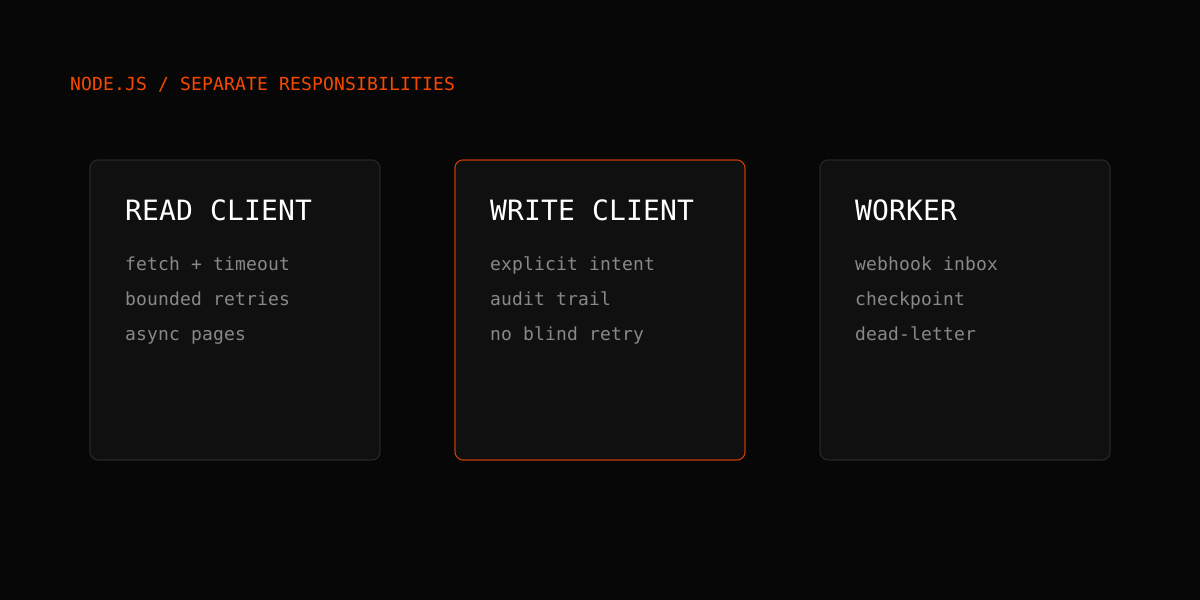
A maintainable integration has three boundaries:
- A read client that can retry safe GET operations.
- A write client that requires deliberate confirmation and records an audit trail.
- A background worker that consumes webhooks or scheduled jobs and checkpoints progress.
OnlyFans write actions are account-gated. A disabled write should be treated as a deliberate safety control, not as an error to bypass. Always preview mass-message audiences before an actual send.
Prefer events over constant refreshes
For new messages, tips, purchases, and subscriber changes, register a signed webhook instead of repeatedly reading the same page. If your app must poll, use the backoff and jitter patterns in the safe polling guide.
If Python is your deployment language, the Python OnlyFans API tutorial implements the same architecture. Agencies normalizing two platforms should continue with the multi-platform CRM guide.
Deployment checklist
- Run the client on a backend, queue worker, or serverless function with protected secrets.
- Use structured logs that omit API keys and message bodies.
- Add an AbortSignal timeout to every call.
- Retry bounded, read-only operations; do not blindly retry sends.
- Stop pagination on hasMore=false or an empty page.
- Use database uniqueness constraints for idempotency.
- Add a dead-letter path for jobs that exhaust their retry budget.
Consult the current API documentation for every route contract, compare the available pricing plans, and start with a test account before processing production messages.